Compare in 3D
Viewer, approved 3D assets, device switching, colour variants, loading and error states.
Batuhan Boran / Solutions Engineer
UI/UX concept
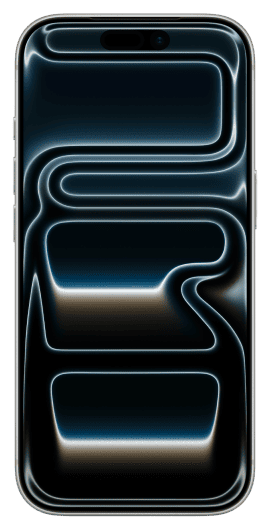
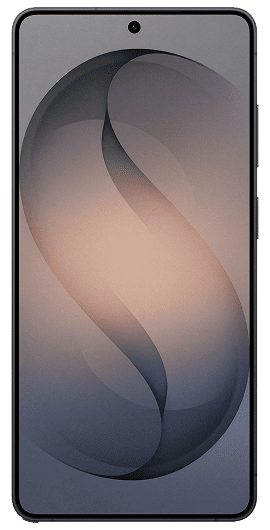
| Difference | iPhone 17 Pro | Galaxy S26 Ultra |
|---|---|---|
| Dimensions | 150.0 x 71.9 x 8.75 mm | 163.6 x 78.1 x 7.9 mm |
| Display | 6.3 inch | 6.9 inch |
| Weight | 204 g | 214 g |
Choose two phones from a listing, or open the comparison with one phone already selected.
Keep up to four phones in a shortlist, but show only the active pair in the main viewer.
Return to the canonical Three product page for configuration, availability, price and checkout.
Viewer, approved 3D assets, device switching, colour variants, loading and error states.
Catalogue mapping, availability, price, plan, consent, analytics and checkout.
Prove named Front, Side and Camera views with two real assets before expanding the catalogue.
Quality assurance
| ID | Requirement | 1920 x 1000 | 375 x 812 |
|---|---|---|---|
| 01 | Automatic rotation on first load | PASS | PASS |
| 02 | Swipe-hand hint repeats until interaction | PASS | PASS |
| 03 | Left-button free rotation | PASS | PASS |
| 04 | Wheel zoom and right-button pan | PASS | PASS |
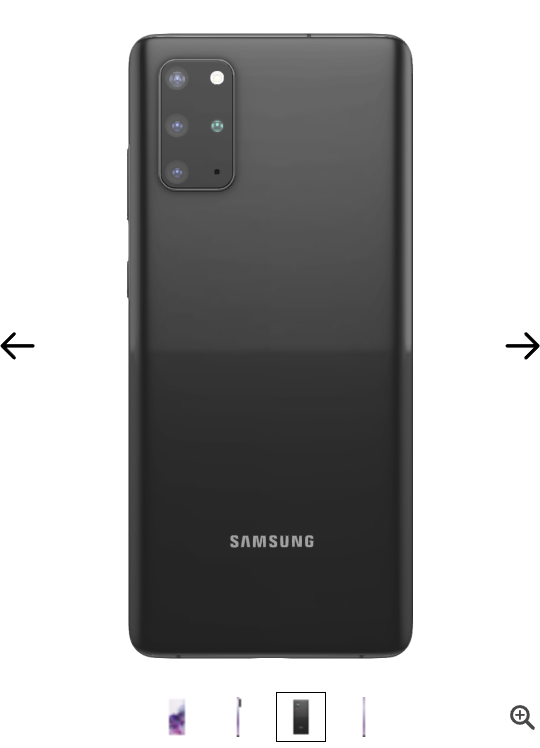
| 05 | Every colour opens the correct 3D asset | ISSUE | ISSUE |
| 06 | Fullscreen opens; X and ESC close it | PASS | PASS |
| 07 | Four thumbnails work and are not blurry | ISSUE | ISSUE |
| 08 | Nothing blocks 3D interaction | PASS | PASS |
| 09 | Both arrows reach every thumbnail in the shown direction | ISSUE | ISSUE |
| 10 | Page scrolls easily past 3D on narrow layout | N/A | ISSUE |
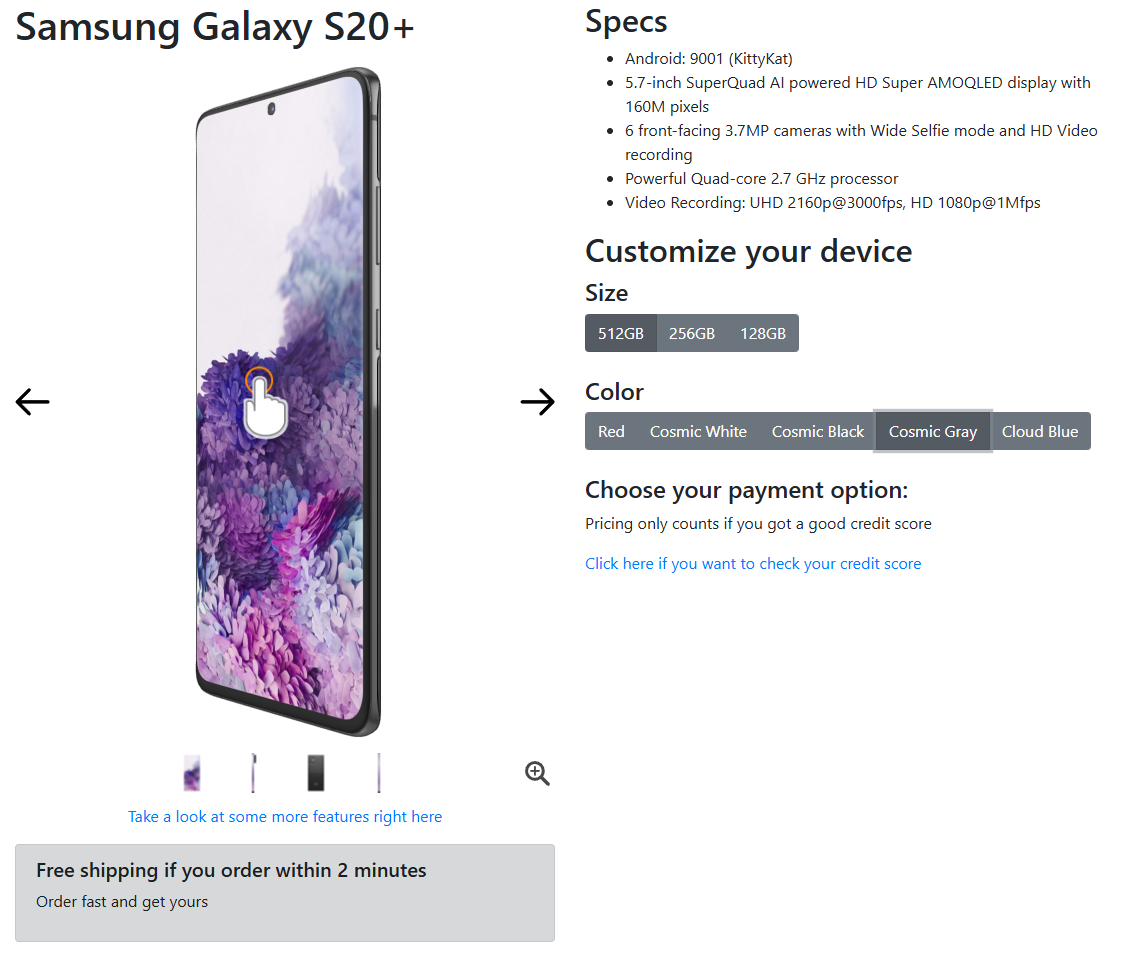
Observed: Cosmic Black and Cosmic Gray both expose data-id=samsung-galaxy-s20-plus-cosmic-black.
Fix and retest: Correct the approved label-to-asset mapping, then retest every visible colour at both required viewports.
Observed: Each thumbnail measured 20 x 20 intrinsic and 20 x 20 CSS pixels at DPR 1. The small footprint and crop carry too little detail.
Fix and retest: Increase the footprint or tighten the crop, then render the backing source at the chosen CSS size multiplied by DPR.
Observed: From thumbnail 2, the visible right arrow selected thumbnail 1 and the visible left arrow selected thumbnail 3.
Fix and retest: Swap the handlers or artwork and retest previous, next and endpoint behaviour from all four thumbnails.
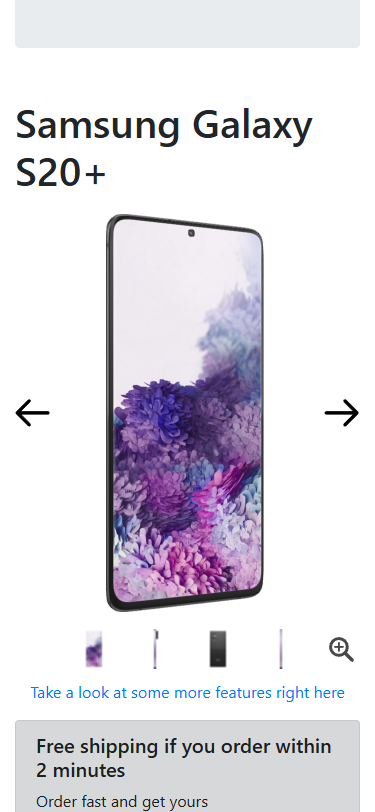
Observed: At 375 x 812, a 150 px vertical gesture over the model left scrollY at 382. The same gesture outside moved it to 532.
Fix and retest: Hand vertical intent back to page scrolling while preserving horizontal rotation, then repeat the test before and after 3D interaction.
The live page is a companion to the two final PDF assignments.